Download Phantom VPN.
Pick the device in your hand.
Four native apps, one account. Free to start, no card. Every build runs the same WireGuard tunnel and generates its keys on the device, never on a server.
- Platforms
- 4
- Price
- Free to start
- Tunnel
- WireGuard
iPhone, iPad, Mac and Android, all native
No card. Watch an ad, earn 60 minutes.
Full-tunnel routing in all four apps
Choose your platform
Mac
Version 1.0
Menu-bar mode, launch at login, and a universal binary. Get it from the Mac App Store or download the installer directly.
- macOS 14 Sonoma or later
- Apple silicon & Intel
- App Store or a 12.7 MB installer
iPhone
Version 1.0
One tap to connect. Turn on auto-reconnect and the tunnel comes back by itself when you move from Wi-Fi to cellular.
- iOS 17 or later
- Auto-reconnect on network change
- App Store
iPad
Version 1.0
A native two-pane layout: the country list on one side, your session on the other. Same universal build as iPhone, same purchase.
- iOS 17 or later
- Native two-pane layout
- App Store
Android
Version 1.0.0
A real Kotlin app, not a wrapped web page. Full-tunnel routing, latency-ranked nodes, and the country list you already know.
- Android 8.0 or later
- API level 26
- Google Play
Here is what you are installing.
The 1.0 build on iPhone, in the three states you will actually see it in: connected, connecting, and not connected.
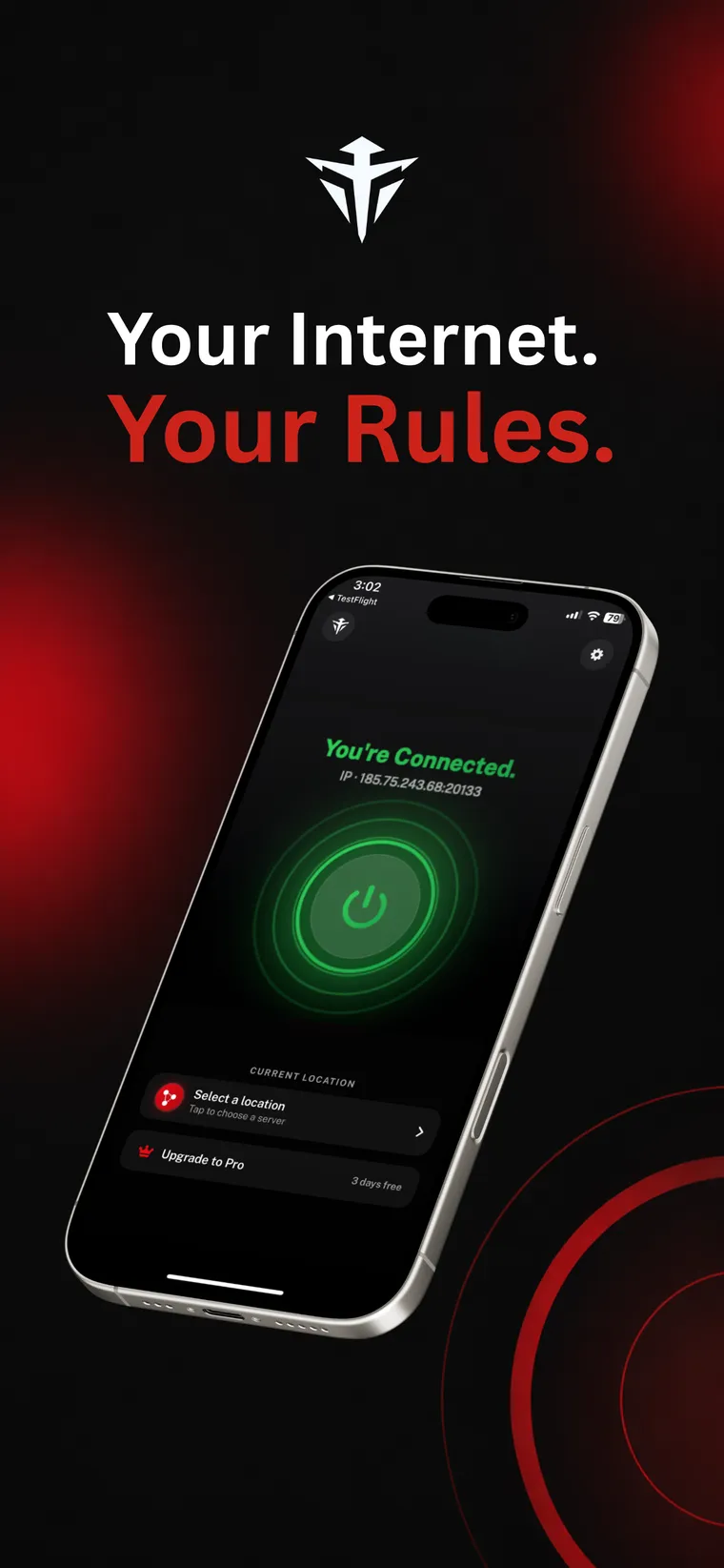
ConnectedThe app shows the IP you were given. 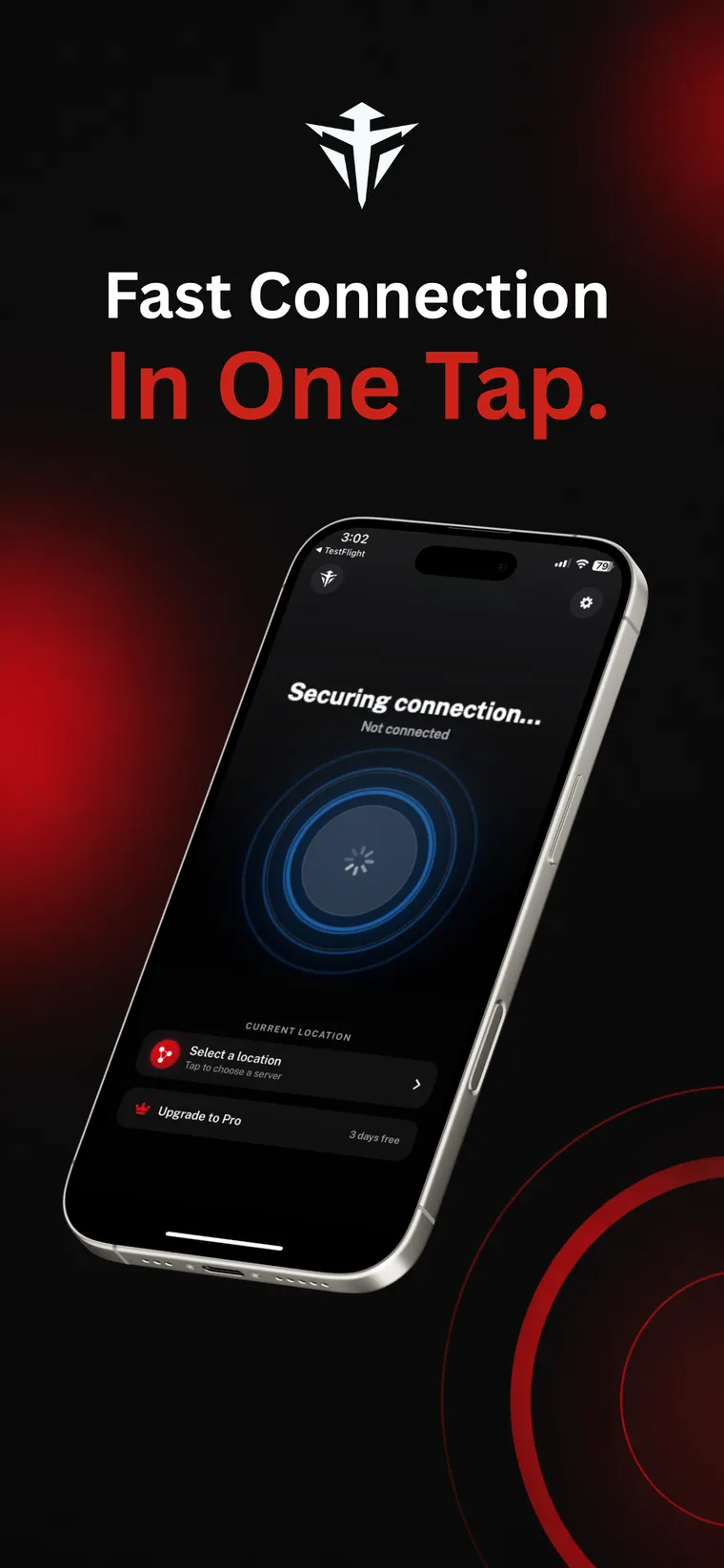
ConnectingNodes ranked by latency, fastest first. 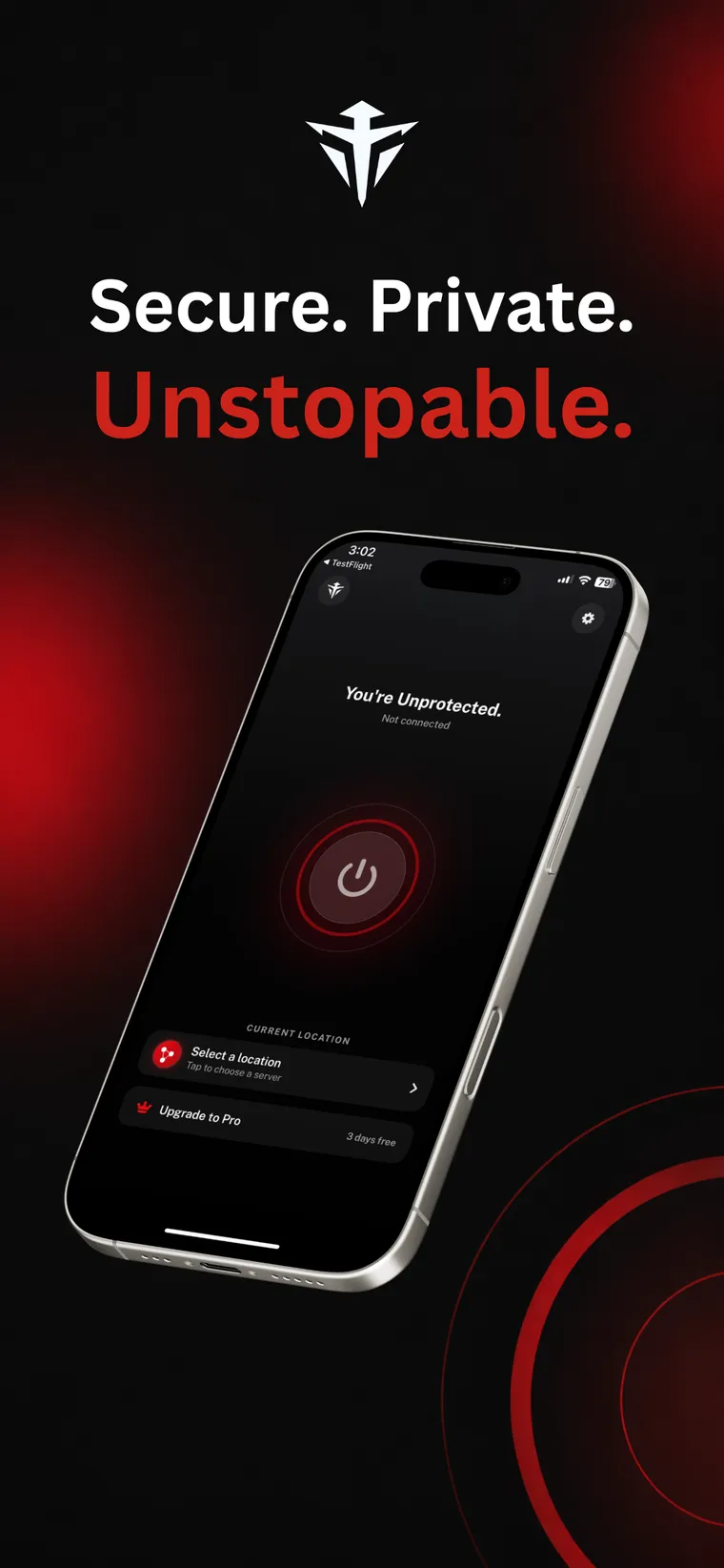
Not connectedRed means exposed. Green means protected.
The platform changes. The architecture doesn't.
These are not four different products. Every app opens the tunnel the same way, to the same network of independently operated nodes.
WireGuard, and only WireGuard
One modern tunnel protocol. No menu of legacy options to get wrong.
Keys made on your device
A fresh Curve25519 keypair per connection. The private half stays in the keychain. Only the public key is sent.
Everything routed
Full-tunnel by default, so every app on the device goes through the tunnel, not just your browser.
Automatic failover
Nodes are ranked by measured latency. A node that fails its handshake is sidelined for 120 seconds and the app tries the next one, up to three attempts.
Servers grouped by country
Switch node whenever you like. More than 15 countries typically have a node online.
Ten languages
English, German, Spanish, French, Italian, Japanese, Korean, Portuguese, Russian and Swedish.
What you need to run it.
| Platform | Version | Minimum OS | Where to get it |
|---|---|---|---|
| Mac | 1.0 | macOS 14 Sonoma or later | Mac App Store or 12.7 MB installer |
| iPhone | 1.0 | iOS 17 or later | App Store |
| iPad | 1.0 | iOS 17 or later | App Store |
| Android | 1.0.0 | Android 8.0 or later | Google Play |
Published by Capx Ecosystem Apps FZE. Bundle identifier com.shippo.phantom on every platform.
Install it, then decide.
New accounts start with 0 minutes. Watch an ad of at least 30 seconds and you get 60 minutes, up to three ads a day and 300 minutes daily. Premium drops the ads and the meter, on every device you sign in on.
$5.00/month
$59.99 billed yearly, save 50%
7 days free
Before you install
How much does Phantom VPN cost to download?
Nothing. Every app is free to download and there is a free way to keep using it: watch a short ad and you earn 60 minutes of connection time, up to three ads a day. Premium removes the ads and the clock.
Do I need an account to use it?
Yes. You sign in with an email one-time code, Google, or Apple. Accounts are not anonymous, because the free tier is metered per minute on our side and Premium has to follow you between devices. What we hold is listed in full on our privacy page.
Does buying Premium once cover all my devices?
Yes. Premium is attached to your account, not to a device. Sign in on your iPhone, iPad, Mac and Android phone and it is already active on each of them.
Which download should I pick on Mac?
Either works and both are the same app. The Mac App Store handles updates for you. The direct installer is a 12.7 MB .pkg that puts Phantom VPN in /Applications and is useful when you cannot use the store. Details are on the Mac download page.
Still reading? It takes a minute.
Free to start. Nothing to cancel. Works on everything you own.