Phantom VPN
for iPad.
A native two-pane layout that uses the whole display: countries on the left, your live session on the right. Same universal build as iPhone, same WireGuard tunnel, same purchase.
Version 1.0. Requires iOS 17 or later. One listing covers iPhone and iPad.
- Requires
- iOS 17+
- Layout
- Two-pane
- Build
- Universal
- Version
- 1.0
- Countries
- 15+
- Your key
- On-device
One universal build, iPhone and iPad
Independent nodes, ranked by latency
The private half never leaves the iPad
Four steps from the store to a tunnel.
If you already use Phantom VPN on your iPhone, the only step that matters is signing in.
Get it on the App Store- 01
Open the App Store listing on your iPad and tap Get. It is the same listing as iPhone.
- 02
Open Phantom VPN and sign in with an email code, Google, or Apple. If you already have Premium, it is there the moment you sign in.
- 03
Tap Connect. iPadOS asks once to add a VPN configuration, because the tunnel is installed at system level. Allow it.
- 04
Browse the country list in the left pane and watch the session come up in the right. Switch node any time without leaving the screen.
System requirements.
- Version
- 1.0
- Requires
- iOS 17 or later
- Build
- Universal with iPhone
- Layout
- Native two-pane
- Tunnel
- WireGuard
- Publisher
- Capx Ecosystem Apps FZE
It knows it isn't a big phone.
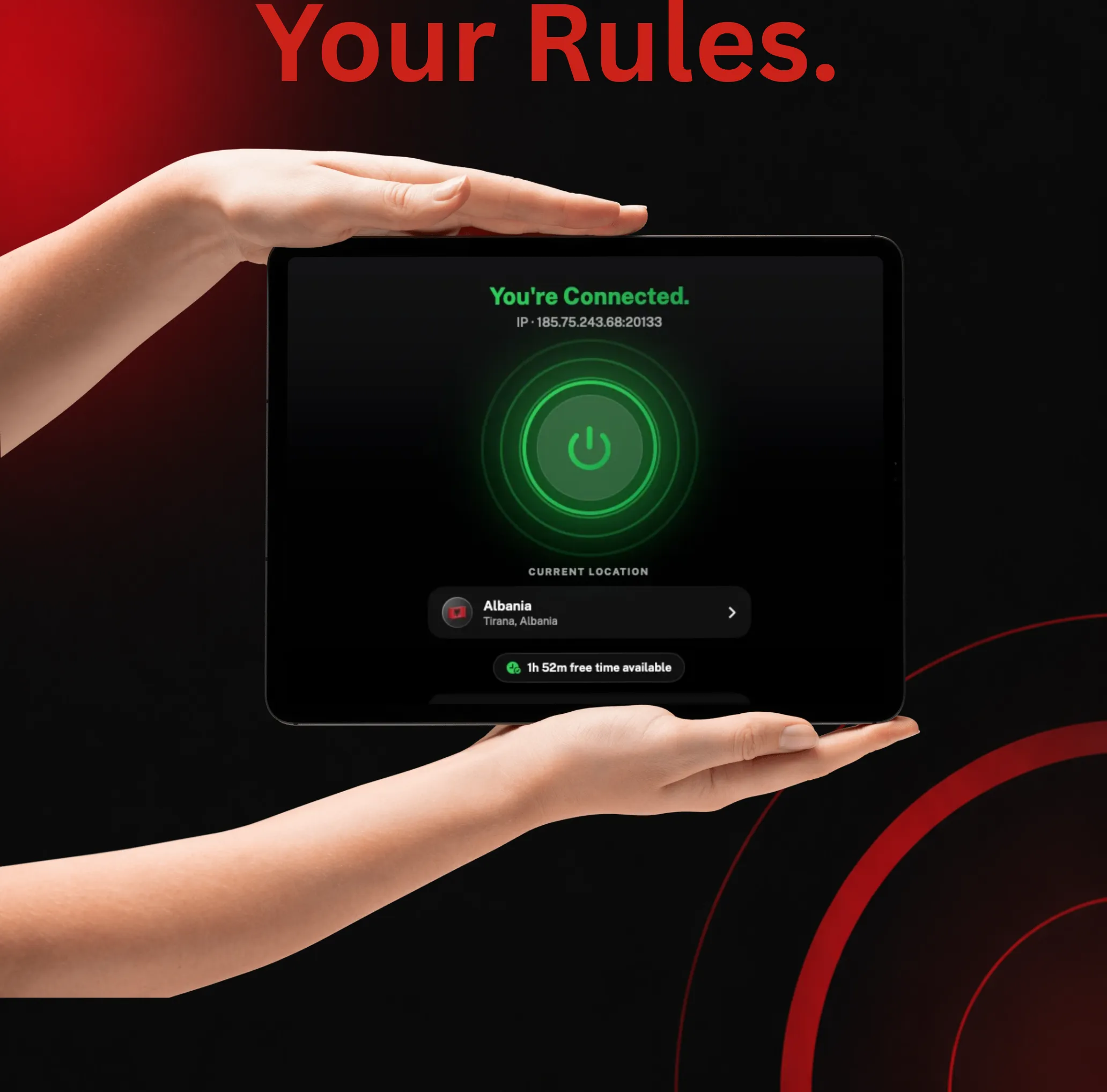
The two-pane layout is the whole point, so here it is in the hand: the country list and your live session on screen together, in each of the app's three real states.
A real two-pane layout
Countries on one side, your live session on the other. The iPad build uses the display it has, instead of stretching a phone screen across it.
One purchase, both devices
Phantom VPN 1.0 is a universal build, so the App Store treats iPhone and iPad as one app. Buy once and Premium follows your account anyway.
Every app is routed
Full-tunnel routing. Safari, Mail, Files and everything else on the iPad go through the tunnel, not just the browser.
Your key stays on the iPad
A fresh Curve25519 keypair per connection. The private half goes into the keychain and never leaves. Only the public key reaches the node.
Automatic failover
Nodes are ranked by measured latency. If one fails its handshake it is sidelined for 120 seconds while Phantom tries a healthier node, up to three attempts.
Ten languages
English, German, Spanish, French, Italian, Japanese, Korean, Portuguese, Russian and Swedish. The whole app, not just the buttons.

ConnectedThe app shows the IP you were given. 
ConnectingNodes ranked by latency, fastest first. 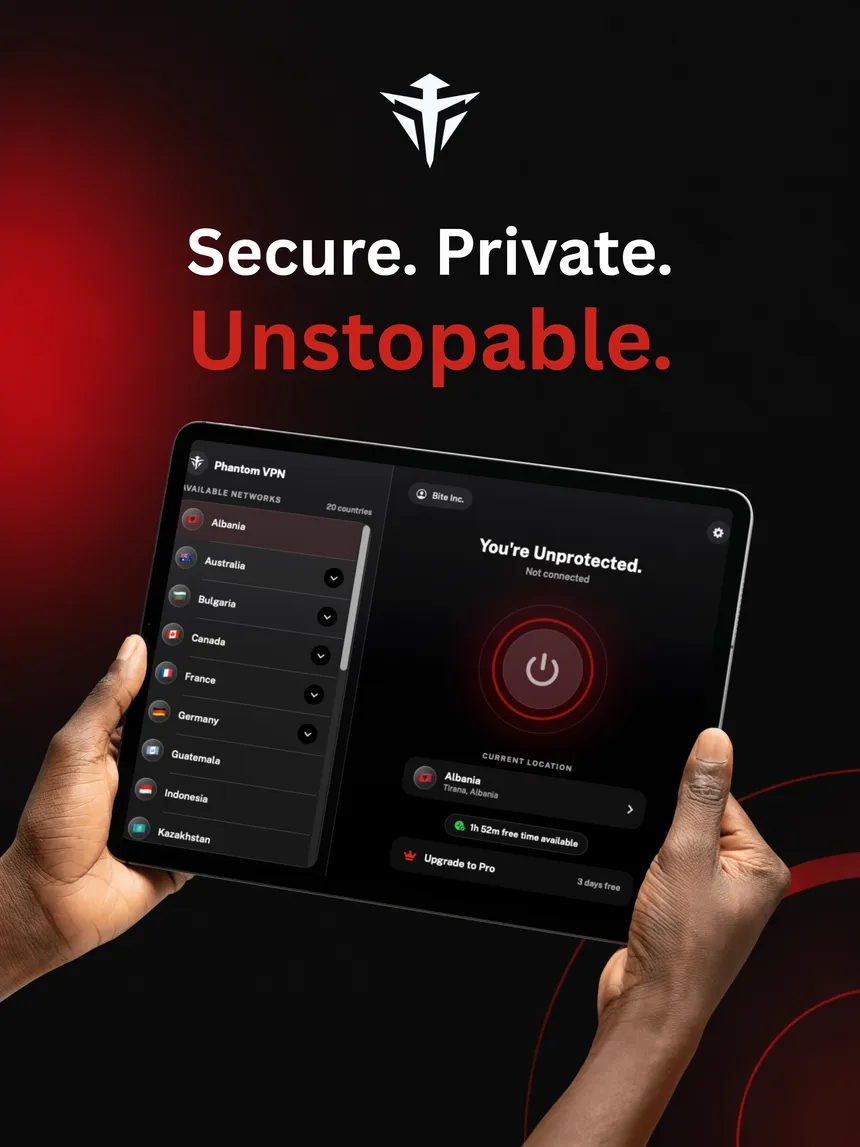
Not connectedRed means exposed. Green means protected.
iPad questions
Is there a separate iPad app?
No, and you do not need one. Phantom VPN 1.0 is a universal build, so one App Store listing covers iPhone and iPad. Install it from the same place and the iPad gets its own native two-pane layout rather than a blown-up phone screen.
What does the two-pane layout actually change?
The country list lives in one pane and your session lives in the other, so you can scan nodes and see your connected state and assigned IP at the same time. Switching node does not push you through a stack of screens.
Which iPadOS version do I need?
iOS 17 or later, the same floor as iPhone. Anything older cannot run the network extension the tunnel depends on.
Does Premium from my iPhone work on my iPad?
Yes. Premium is attached to your account, not to a device. Sign in on the iPad with the same account and it is already active. That holds for your Mac and Android phone too.
Give the iPad a tunnel of its own.
Free to start. Premium from $5.00 a month billed yearly, with a 7 day free trial.